


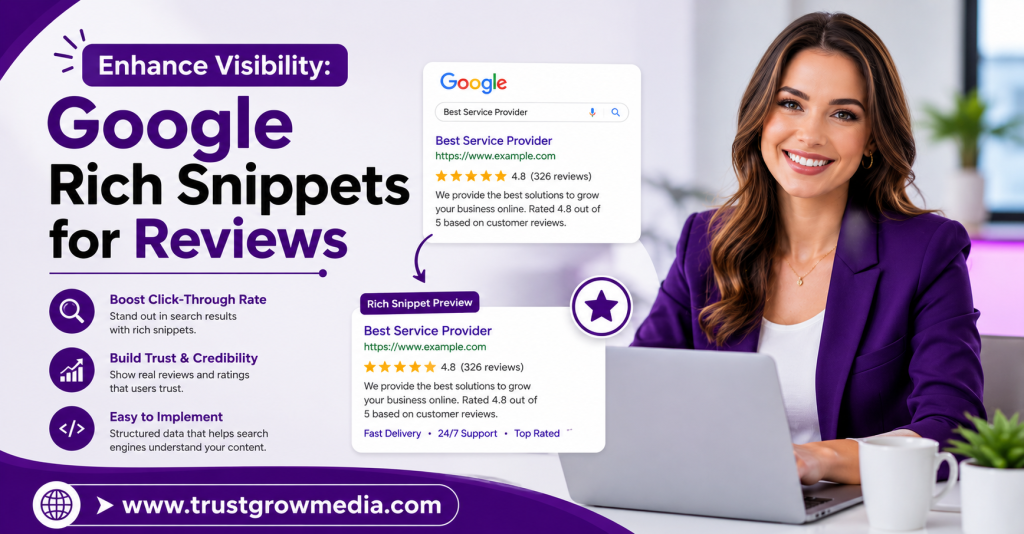
Boost your website’s visibility with Google Rich Snippets for Reviews. Learn how to effectively implement them and enhance your online presence on our blog.

Key Highlights
- Google rich snippets can add a visible star rating to your search results.
- Review schema uses structured data to help Google read your review content.
- Product-level pages are the strongest option for review snippet eligibility.
- Clean markup, visible reviews, and required fields improve your chances of display.
- Rich Results Test and Search Console help you catch errors early.
- The main SEO benefits include stronger visibility, better trust, and more clicks.
Introduction
Google Rich Snippets can make your website stand out in search results by displaying valuable review information directly beneath your listings. These enhanced search features can improve visibility, attract more clicks, and increase user confidence before they even visit your website. This guide explains how review rich snippets work, their SEO benefits, and how to implement them correctly. For more search optimization and reputation management insights, TrustGroowMedia provides expert resources to help businesses grow online.
Understanding Google Rich Snippets for Reviews
Rich snippets are pieces of structured data added to a page so Google can better understand the content, including the average rating. For reviews, that means showing review data such as a product name, rating, author, and review text in Google search results.
To support review rich snippets, you need valid structured data tied to an eligible schema type. Product pages are the most reliable path, especially when the markup includes required fields and the reviews are genuine, visible, and consistent on the page. The next sections break that down in a practical way.
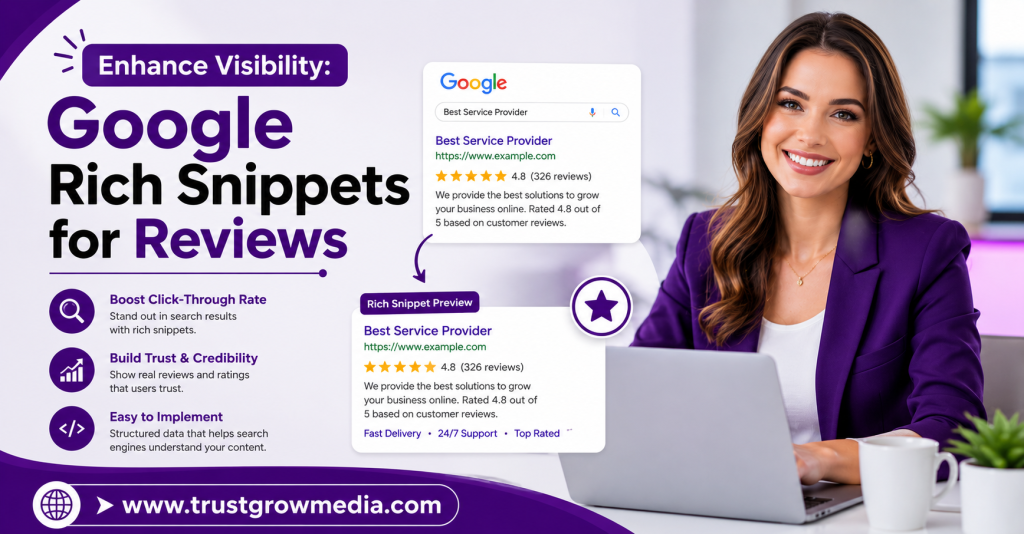
What Are Review Rich Snippets and How Do They Function?
Review rich snippets are a form of structured data placed in your page code. They tell Google that the page includes review data tied to a specific item, such as a product, including cooking time. When Google reads that information correctly, it may enhance your search results with rating details.
In simple terms, rich snippets work like labels for search engines. Instead of guessing what your reviews mean, Google can read the structured data and identify fields like the product name, review text, reviewer name, calorie count, and rating. That gives the page a chance to qualify for a richer display.
To add Google rich snippets for reviews to your website and ensure continuous compliance, you either edit the page markup manually or use a compatible review platform widget. In both cases, the data must be valid, visible on the page, and attached to an eligible page type.
Difference Between Star Ratings and Other Review Snippets
A star rating is the visual score users often notice first in Google search results. These review stars, sometimes called gold star ratings, usually appear under an organic listing when Google can read valid review markup from the page.
Not every review snippet looks the same, though. Some review-related displays come from paid formats like seller ratings in Google Ads or Shopping, while others come from structured data on your own ecommerce store site. Third-party stars may also appear in branded searches through platforms such as Yelp or Trustpilot.
That difference matters when choosing where to place markup. Based on Google’s updated critical rules, product pages are the safest choice for a review snippet. A homepage using Organization or LocalBusiness markup for self-controlled reviews is not a reliable route for organic stars.
Why Rich Snippets Matter for Online Visibility
Rich snippets matter because they create an enhanced version of your listing in search results. Instead of showing only the standard title and description, your page may also display ratings and review details that catch the eye quickly.
That visual change can improve search visibility in organic search results, especially when many brands are competing for the same clicks. Users often scan a page fast. If your result looks clearer and more informative, it has a better chance of being noticed.
The benefits of review star ratings in Google search for an ecommerce brand are practical. They can lift click-through rates, support trust, and help your page stand apart without paid promotion. For many sites, that makes rich snippets a smart visibility tool before users even visit the page.
Key Benefits of Review Rich Snippets in Google Search
Review rich snippets can improve how your pages appear in search listings by highlighting the benefits of rich snippets through adding useful review information directly into Google search. That added detail helps users assess your page before they click, which can make your listing feel more relevant and easier to trust.
There is also a wider effect on organic search results. Rich snippets can help you stand out in busy categories, support stronger engagement, and make your listing look more complete than a plain blue link. Here is how those benefits usually show up in practice.
Boosting Click-Through Rates with Star Ratings
A visible star rating can make a listing more noticeable in organic search as part of an effective ecommerce strategy. When users compare several links at once, rich results with review details often draw faster attention than standard entries. That alone can support better click-through rates.
Search engines display many similar-looking pages for competitive terms. A result with ratings gives people an extra reason to choose your page. It signals that others have already interacted with the product and shared an opinion, which lowers hesitation for first-time visitors, although it may not be a direct factor in rankings.
A stronger click pattern usually comes from a few simple advantages:
- A star rating adds a visual cue that stands out in busy results.
- Rich results can make your page look more informative before the click.
- Higher click-through rates may create positive engagement signals over time.
Enhancing Trust and Credibility for Your Brand
Trust starts before someone lands on your site. In Google search results, review snippets give potential customers a quick sense that real feedback exists and that your page is not just making claims without support.
That matters because credibility is often built through small signals. A visible rating, number of reviews, and clear product information can make your listing feel more established. People are more comfortable clicking when they see signs that others have already purchased or reviewed the item.
These trust signals usually help in direct ways:
- Review snippets show social proof early in the decision process.
- They can increase credibility for new visitors who do not know your brand.
- They make potential customers more likely to engage with your listing.
Impact of Review Snippets on SEO Performance
Review snippets are not described as a direct Google ranking factor in the source material, but the effect of rich snippets can still influence SEO performance indirectly. The main reason is simple: rich snippets can improve visibility and attract more clicks from Google search.
When search engines show a more detailed listing, users may interact with it more often than with a plain result. Better engagement does not guarantee higher rankings, yet it can improve how your page performs compared with less noticeable competitors. That makes review markup valuable beyond appearance alone.
You can also use Search Console to monitor how your pages are being crawled and whether review enhancements are being detected. In that sense, rich snippets support SEO performance through stronger presentation, measurable engagement, and cleaner reporting on eligible pages.
Essential Structured Data for Review Rich Snippets
To qualify for review rich snippets, your page needs structured data that clearly identifies the reviewed item and the collected review data details. In most cases, schema markup based on product schema is the best option when you want organic review stars in search.
The markup should include required fields such as name, review, rating, and author. Just as important, the review content should be visible on the page and match the schema markup. The following sections explain which schema types work and where people usually make mistakes.
Types of Schema Markup Needed for Reviews
Google only allows review stars for certain schema types, so choosing the right one matters from the start. If your goal is organic stars tied to items you sell, product schema is the most dependable route. It works best when paired with visible review content and complete structured data.
Review schema is not a standalone shortcut for every page. It needs to be attached to an eligible item type. Organization schema and LocalBusiness schema exist, but self-serving reviews under those types are not allowed for organic star display. That rule catches many site owners off guard.
Here is a simple guide to the main schema types discussed:
| Schema Type | Use for Review Snippets |
| Product schema | Best choice for product-level review rich snippets in organic results |
| Review schema | Used to describe review details within an eligible item |
| Organization schema | Not suitable for self-controlled company review stars |
| LocalBusiness schema | Also restricted for self-serving review snippet display |
Product vs. Local Business Review Schema Explained
Product schema is used when the page focuses on a specific item, such as an ecommerce product. This is the clearest setup for a review snippet because the reviewed subject is precise, the rating belongs to that item, and the page can show matching review content.
Local business schema covers a business location or service entity rather than a single product. While it is one of the schema types Google recognizes, self-serving reviews marked up by the business itself are not eligible for review stars in Google search results.
So which pages are eligible? Product pages are the strongest answer from the available guidance. If your schema markup is tied to a genuine product review display, your chances improve. If you try to apply the same idea to your homepage or company-level page, eligibility becomes much weaker.
Common Mistakes in Implementing Structured Data
Many pages fail to show stars not because review schema is impossible, but because the structured data is incomplete, invalid, or attached to the wrong page type. Google can ignore data markup that does not match what users actually see on the page.
Another common problem is assuming that adding code guarantees display. It does not. Even with the correct schema markup in place, Google still decides whether to show stars. You can improve your chances, but you cannot force the display of rich results.
Frequent common issues include:
- Missing required fields such as name, author, rating, or review text.
- Using Organization or LocalBusiness markup for self-controlled reviews.
- Hiding reviews, using fake feedback, or publishing incorrect schema markup.
Steps to Add Review Rich Snippets to Your Website
You can add review rich snippets in two main ways: by editing your website’s html yourself or by using a review tool that outputs structured data markup for you. If you have a development team, manual setup may be straightforward and flexible.
If not, a compatible widget can save time and reduce coding work. In both cases, you should validate the setup and then watch Google Search Console for warnings or indexing updates. Let’s look at the manual and tool-based approaches first, then how to test eligibility.
Manual HTML Implementation of Review Schema
If you are comfortable editing your website’s HTML, you can place review schema directly into your product pages. This method gives you control over the structured data and lets you tailor the data markup to each individual item.
Start by choosing the right schema for the page. For product reviews, that means using Product schema and including the review details Google expects. Each page should contain unique information that matches the visible content, not copied markup reused everywhere.
A basic manual process usually includes:
- Add review schema to relevant product pages only.
- Include visible fields such as name, review, rating, and author.
- Check that the structured data matches the review content shown to users.
Using Plugins and Third-Party Tools for Schema Markup
For many site owners, plugins and third-party tools are the easier option. Instead of building schema markup by hand, you use a review widget or platform that automatically places the correct code on your pages. This is especially helpful if you run an ecommerce platform and want a faster setup.
The key is compatibility. Not every widget is built for organic review stars, so you need one that supports product-level review markup to collect reviews effectively. A strong tool should output valid data, connect it to visible reviews, and fit cleanly into your product template.
If you are asking how to add Google rich snippets for reviews to your website without coding, this is usually the answer. Install the widget, place it on product pages, then verify the result with Google’s testing tools before waiting for recrawling.
Testing Your Structured Data for Eligibility
Once the markup is live, testing is essential. Google will not show stars unless it can read the page correctly, so you need to confirm that your setup follows best practices to produce valid structured data and qualifies for supported rich results.
The first step is to run the page through Google’s Rich Results Test. That tool can flag missing fields and show whether Google recognizes the review setup. After that, check Google Search Console for warnings, indexing issues, or enhancement messages tied to review snippets.
A practical testing routine should include:
- Run each page through the Rich Results Test to detect errors.
- Use Google Search Console to monitor eligibility and search listings.
- Watch rich snippet performance over time, since display may take 1–3 weeks and is never guaranteed.
Conclusion
In conclusion, implementing Google Rich Snippets for reviews can significantly enhance your online visibility and credibility. By leveraging structured data effectively, including dynamic code, you can boost click-through rates and attract more potential customers to your website. It’s essential to understand the different types of schema markup required and avoid common mistakes to ensure your review snippets appear in search results. As you take these steps, remember that the ongoing enhancement of your SEO strategy will yield long-term benefits. Don’t hesitate to reach out and get a free consultation to explore how you can optimize your review snippets and elevate your brand’s presence online!
Frequently Asked Questions
Why aren’t my review rich snippets appearing in Google search?
Review rich snippets may not appear in Google search if the structured data is incomplete, invalid, tied to the wrong schema type, or based on reviews Google does not allow. Check Search Console and test the page in Rich Results Test. Even valid rich results are not guaranteed to display.
Which types of pages are eligible for review rich snippets?
Product pages have the strongest page eligibility for a review snippet in google search results. Product schema is the most reliable option in the provided guidance. Pages using self-controlled Organization or LocalBusiness structured data for company reviews are not a dependable path for organic review stars.
Are there penalties for incorrectly using review snippet schema?
The source material does not list specific penalties, but it does make clear that search engines may ignore invalid or misleading review snippet schema. Your safest approach is compliant schema, visible review content, and accurate structured data that matches the page to avoid blocked eligibility and trust issues.