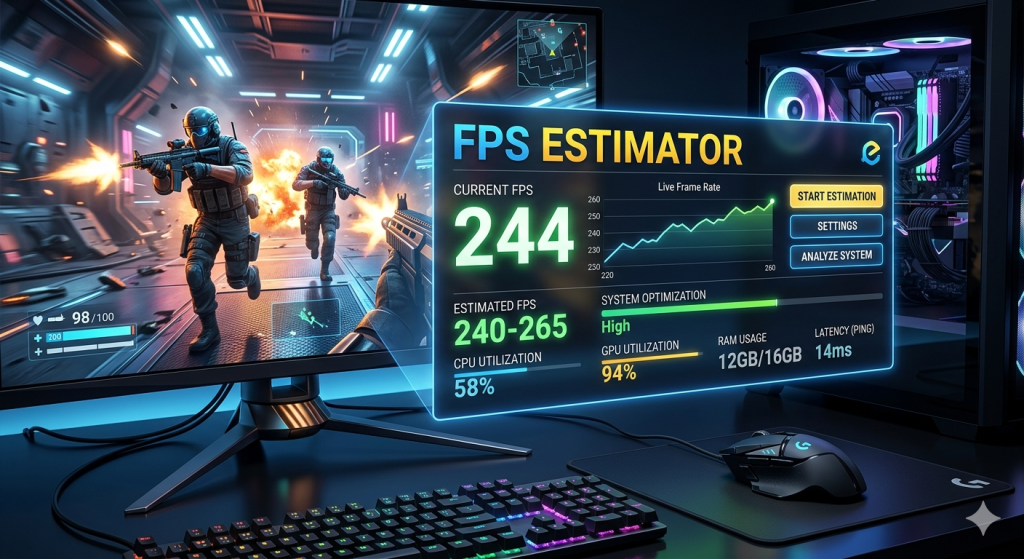
Whether you are a competitive gamer chasing a top ranked leaderboard position or a casual player who simply wants smoother visuals, understanding your frame rate is non negotiable. An FPS estimator gives you actionable, real time insight into how your hardware is performing translating raw system data into a number that directly reflects your gaming experience. In this comprehensive guide, we break down everything you need to know about FPS estimation: what it means, why it matters, which tools deliver the most accurate results, and how to use that data to meaningfully improve your gameplay.
What Is an FPS Estimator?
An FPS estimator is a software tool or hardware overlay that measures, calculates, and displays the number of frames your system renders each second during a game or graphical application. The term “frames per second” (FPS) refers to how many unique still images — or frames — your graphics card generates within a one second interval. The higher this number, the smoother and more responsive the visual output appears on your display.
Unlike static benchmark tests that evaluate peak performance under controlled conditions, a real time FPS estimator monitors frame rate dynamically as you play, capturing fluctuations, dips, and spikes across different in game scenarios. This makes it an indispensable diagnostic tool for both performance troubleshooting and ongoing optimization.
Why FPS Matters More Than Most Gamers Realize
Frame rate is one of the single most influential factors in how a game feels to play. Consider the difference between these common benchmarks:
- 30 FPS – Historically considered the minimum threshold for a “playable” experience, primarily in console gaming. Motion can appear choppy, and input response feels sluggish.
- 60 FPS – The gold standard for most PC gamers. Gameplay feels fluid and responsive, with significantly reduced motion blur and input lag compared to 30 FPS.
- 120–144 FPS – The preferred range for competitive gamers. At this level, micro adjustments in aiming and movement become noticeably sharper, giving skilled players a genuine edge.
- 240+ FPS – Reserved for elite competitive play and high refresh rate monitors. The visual gains beyond 144 FPS are subtle but measurable in reaction time sensitive scenarios.
Using an FPS estimator allows you to identify exactly where your system falls within this spectrum — and, more importantly, diagnose why your frame rate may be underperforming relative to your hardware’s theoretical capability.

How an FPS Estimator Calculates Frame Rate
At its core, an FPS estimator works by counting the number of frames rendered within a defined time window — typically one second — and expressing that count as a single numeric value. More sophisticated tools go well beyond this basic calculation, tracking a range of additional metrics to provide a fuller picture of system performance:
Average FPS
The arithmetic mean of all frames rendered over a session or time window. This is the headline number most gamers reference, though it can mask problematic variance in frame delivery.
1% Low and 0.1% Low FPS
These metrics capture the worst performing frames in the bottom one percent and bottom 0.1 percent of a recording session, respectively. They are arguably more important than average FPS when evaluating real world smoothness, as they reveal the severity of frame time spikes that cause perceptible stuttering. A system with a 100 FPS average but a 1% low of 30 FPS will feel noticeably less smooth than one with an 80 FPS average and a 1% low of 70 FPS.
Frame Time Analysis
Frame time is the inverse of FPS — it measures how many milliseconds elapse between each consecutive frame. Consistent, evenly spaced frame times produce smooth motion, while erratic frame times cause the jarring stutter effect even when average FPS appears high. Advanced FPS estimators display frame time graphs to help users identify these inconsistencies.
Top FPS Estimator Tools Available Today
The market for FPS estimation software is robust, with several high quality options catering to different needs and levels of technical sophistication.
MSI Afterburner with RivaTuner Statistics Server (RTSS)
This pairing remains one of the most widely used FPS estimation setups among PC gamers. MSI Afterburner provides extensive hardware monitoring across GPU temperature, clock speeds, memory usage, and power draw, while RTSS renders this data as an in game overlay with minimal performance impact. It supports virtually every GPU from any manufacturer and offers deep customization of the overlay’s appearance and data layout.
NVIDIA FrameView
Developed by NVIDIA, FrameView is a lightweight FPS estimator that works across both NVIDIA and AMD graphics hardware. Its standout feature is the ability to measure and log PC performance data with accuracy, including average FPS, 1% and 0.1% low frame rates, frame times, CPU and GPU utilization, and battery power consumption on laptops. The resulting CSV output makes it particularly useful for detailed post session analysis.
CapFrameX
For users who require the most granular frame time analysis available, CapFrameX is a powerful open source FPS estimator that captures detailed per frame data and presents it through a suite of visualization tools. It is the tool of choice for hardware reviewers and enthusiasts who need to compare system configurations rigorously and produce publication quality performance charts.
Steam’s Built In FPS Counter
For users who want an immediate, zero configuration FPS display without additional software, Steam includes a built in FPS counter accessible through Settings > In Game > In game FPS counter. While it lacks the depth of dedicated tools, it serves as a quick and convenient reference point for casual monitoring.

AMD Radeon Software and NVIDIA GeForce Experience Overlays
Both major GPU vendors bundle FPS estimation functionality into their driver companion applications. AMD’s Radeon Software Performance Monitoring and NVIDIA’s GeForce Experience overlay offer integrated FPS counters with supplementary hardware telemetry, making them accessible options for users who already have these applications installed.
Key Factors That Influence the FPS Your Estimator Reports
Understanding why your FPS estimator shows a particular number requires knowledge of the variables that determine frame rate. These fall into two primary categories: hardware capabilities and software configuration.
GPU Performance
The graphics processing unit is the primary driver of FPS in most gaming scenarios. GPU performance is determined by its architecture, core count, clock speed, memory bandwidth, and VRAM capacity. When your FPS estimator reports low numbers, GPU bottlenecking — where the graphics card cannot produce frames fast enough to satisfy demand — is frequently the root cause.
CPU Performance
In games with complex simulation, physics, AI, or open world systems, the CPU can become the limiting factor. CPU bottlenecking occurs when the processor cannot prepare draw calls and game logic fast enough to keep the GPU fully fed with work. FPS estimators that include CPU utilization metrics help identify whether this is occurring in your system.
In Game Graphics Settings
Resolution, texture quality, shadow rendering distance, anti aliasing method, and ray tracing settings all place varying loads on the GPU. Using your FPS estimator to benchmark different settings configurations allows you to find the optimal balance between visual fidelity and frame rate for your specific hardware.
Thermal Throttling
When GPU or CPU temperatures exceed manufacturer defined safety thresholds, these components automatically reduce their operating frequency to prevent damage a process known as thermal throttling. An FPS estimator paired with hardware temperature monitoring can reveal whether thermal issues are causing your frame rate to degrade over extended gaming sessions.
Background Processes and Driver State
Unnecessary background applications competing for system resources particularly RAM and CPU cycles can meaningfully reduce the FPS your estimator reports. Similarly, outdated or corrupted GPU drivers can introduce performance inefficiencies that would not be apparent from hardware specifications alone.
How to Use FPS Estimator Data to Improve Your Gaming Performance
Collecting FPS data is only valuable if you act on it strategically. Here is a structured approach to converting your FPS estimator readings into tangible performance improvements.
Establish a Baseline
Before making any changes to your system or settings, run your FPS estimator across several representative gaming sessions to establish a reliable performance baseline. Document your average FPS, 1% lows, and peak frame times across different in game environments, including both demanding and less demanding areas.
Identify the Bottleneck
Cross reference your FPS readings with CPU and GPU utilization data. If GPU utilization is near 100% while CPU utilization remains low, you have a GPU bottleneck — the appropriate response is either to reduce graphical settings or upgrade your GPU. If CPU utilization is the limiting factor, consider whether the game allows you to reduce CPU intensive settings such as NPC density or simulation distance.
Optimize Graphics Settings Methodically
Use your FPS estimator to test settings changes in isolation. Adjust one variable at a time — for example, changing only shadow quality — and observe the impact on your frame rate before moving to the next setting. This systematic approach reveals which settings carry the highest performance cost and allows you to make informed trade offs.
Address Thermal and Driver Issues
If your FPS estimator shows a gradual decline in frame rate during extended sessions, thermal throttling is a likely culprit. Ensure your system has adequate airflow, consider replacing thermal paste on aging CPUs or GPUs, and verify that all cooling fans are operating correctly. Additionally, keep your GPU drivers current, as driver updates frequently include performance optimizations for recently released titles.
Leverage Frame Generation and Upscaling Technologies
Technologies such as NVIDIA DLSS, AMD FSR, and Intel XeSS use AI driven upscaling to render frames at a lower native resolution before scaling them up — delivering substantial FPS gains with minimal perceptible image quality loss. NVIDIA’s Frame Generation feature goes further by inserting synthetic frames between rendered ones to effectively multiply the displayed frame rate. Your FPS estimator will confirm the real world impact of enabling these technologies in supported games.
FPS Estimator Considerations Across Different Game Genres
The ideal FPS target — and therefore the way you interpret your FPS estimator results — varies considerably depending on the type of game you are playing.
- First Person Shooters (FPS Games): The highest frame rates are most critical here. Competitive titles such as CS2, Valorant, and Apex Legends benefit enormously from 144 FPS or higher, where the responsiveness advantage translates directly into hit registration accuracy and reaction time.
- Open World RPGs and Adventure Games: These genres prioritize visual richness over maximum frame rate. Targeting 60 FPS with high graphical fidelity is a commonly acceptable goal, with 1% lows above 45 FPS ensuring smooth traversal even in demanding environments.
- Real Time Strategy (RTS) Games: These are generally less demanding on the GPU and CPU per frame but can spike significantly during large scale battles. Using your FPS estimator to monitor 1% lows during peak combat scenarios ensures your system handles stress moments gracefully.
- Racing Simulators: Precise frame timing is exceptionally important in sim racing, where visual consistency directly affects the accuracy of spatial judgments. Frame time graphs from your FPS estimator are especially valuable here for identifying micro stutter.
Common Misconceptions About FPS Estimation
Several persistent myths surround FPS and FPS estimation tools. Addressing these misconceptions helps users interpret their data more accurately.
Average FPS Is All That Matters
As discussed, average FPS conceals variance. Two systems with identical average FPS scores can deliver dramatically different perceived smoothness if their 1% lows and frame time distributions differ. Always evaluate 1% low data alongside averages when assessing performance.
Humans Cannot Perceive Frame Rates Above 60 FPS
This claim has been thoroughly debunked by perceptual research. The human visual system is capable of detecting motion differences well above 60 FPS, particularly in high speed scenarios. The perception of smoothness and the detection of input lag both improve measurably at higher frame rates.
An FPS Estimator Negatively Impacts Performance
Well designed FPS estimation tools operate with minimal CPU and GPU overhead — typically less than one percent. When using reputable tools such as those listed above, the performance cost of monitoring your frame rate is negligible and will not distort your results.
How to Choose the Right FPS Estimator for Your Needs
Selecting the appropriate FPS estimation tool depends on your specific goals and technical comfort level.
- Casual monitoring with minimal setup: Use your GPU vendor’s overlay (AMD Radeon Software or NVIDIA GeForce Experience) or Steam’s built in counter.
- Comprehensive in game monitoring with hardware data: MSI Afterburner paired with RTSS is the most versatile and widely supported option.
- Detailed session logging and post analysis: NVIDIA FrameView for cross platform compatibility, or CapFrameX for maximum analytical depth.
- Laptop and mobile gaming optimization: NVIDIA FrameView’s battery power consumption tracking makes it uniquely useful for portable gaming setups.
The Future of FPS Estimation Technology
The science of FPS estimation continues to evolve alongside advances in display technology and graphics hardware. The growing adoption of variable refresh rate (VRR) displays — which dynamically synchronize the monitor’s refresh rate to the GPU’s output frequency — means that raw FPS figures are increasingly being supplemented by metrics that account for VRR behavior, such as effective refresh rate and VRR range utilization.
Additionally, the rise of AI driven frame generation technologies is complicating traditional FPS measurement, as generated frames differ fundamentally from fully rendered ones in terms of latency characteristics. Next generation FPS estimators will need to clearly differentiate between rendered and generated frames to give users accurate performance context.
Cloud gaming platforms present another frontier for FPS estimation, where local rendering metrics give way to network latency and server side frame rate as the key performance variables. As these platforms mature, FPS estimators will likely evolve to incorporate network quality metrics as integral components of the performance picture.
Conclusion
An FPS estimator is far more than a simple number displayed in the corner of your screen. It is a window into your system’s real world performance revealing bottlenecks, confirming the impact of optimizations, and guiding hardware investment decisions with concrete data rather than guesswork. Whether you are fine tuning a high end gaming rig for competitive play or trying to coax better performance out of aging hardware, integrating an FPS estimator into your gaming workflow will give you the clarity and control you need to get the most out of every session.
By combining average FPS tracking with 1% low analysis, frame time monitoring, and hardware utilization data, modern FPS estimator tools deliver a complete picture of gaming performance that empowers players at every level to understand, diagnose, and ultimately master their system’s capabilities.