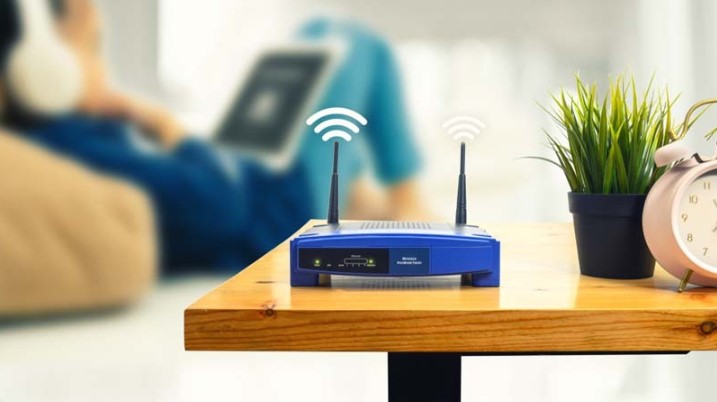
Wireless Network Services in Paris: Reliable Connectivity for Homes and Businesses:
Introduction: Why Professional Wireless Network Setup Matters in Paris
A strong, stable internet connection is no longer a luxury—it’s a daily necessity. From remote work and online learning to streaming, smart homes, and business operations, everything depends on seamless connectivity. That’s why investing in professional Wireless Network solutions is one of the smartest decisions you can make for your home or company.
In a city like Paris, where historic buildings meet modern apartments and busy commercial districts, wireless network installation comes with unique challenges. Thick stone walls, older construction materials, signal interference from neighboring properties, and dense urban infrastructure can all impact Wi-Fi performance. A properly designed wireless system ensures you get consistent speed, security, and coverage—without frustrating dead zones.
This article explores everything you need to know about wireless network services in Paris, including common issues, practical solutions, installation steps, maintenance tips, and local considerations.
Understanding Wireless Network Services
Wireless network services go beyond simply installing a router. They include:
- Wi-Fi network design and planning
- Router and access point installation
- Network security configuration
- Coverage optimization
- Troubleshooting and performance upgrades
- Structured cabling (when necessary)
- Business-grade wireless solutions
Professional IT technicians assess your property’s layout, internet needs, and usage patterns before designing a customized solution.
Whether you need high-speed Wi-Fi for a small apartment, a multi-floor townhouse, or a corporate office, the approach must be tailored to the space.
Common Wireless Network Problems in Paris
1. Weak Signal Through Thick Walls
Many Parisian apartments and offices are built with stone, brick, or reinforced concrete. These materials can block or weaken wireless signals, causing poor coverage in certain rooms.
2. Wi-Fi Dead Zones
Dead zones are areas where your Wi-Fi signal doesn’t reach. They are common in large properties or homes with multiple floors.
3. Slow Internet Speeds
Even with a high-speed fiber connection, poorly configured wireless equipment can limit your actual performance.
4. Network Congestion
In densely populated neighborhoods, overlapping signals from neighboring Wi-Fi networks can cause interference and reduced speeds.
5. Security Vulnerabilities
Unsecured or poorly configured wireless networks can expose personal or business data to cyber threats.
6. Smart Home Connectivity Issues
As more people in Paris adopt smart home devices—security cameras, smart thermostats, voice assistants—networks become overloaded without proper configuration.
Step-by-Step Wireless Network Setup Process
Professional wireless network services follow a structured process to ensure optimal performance.
Step 1: Site Survey and Assessment
Technicians evaluate:
- Property layout
- Wall materials
- Internet service provider connection
- Number of users
- Type of devices (smart TVs, laptops, IoT devices, etc.)
A signal heat map may be created to determine the best placement for routers and access points.
Step 2: Network Design
Based on the assessment, a tailored wireless solution is developed. This may include:
- Mesh Wi-Fi systems
- Business-grade access points
- Ethernet backhaul setup
- Secure VLAN configuration for businesses
Step 3: Equipment Installation
Proper installation includes:
- Optimal router placement
- Strategic access point positioning
- Cable management (if wired components are required)
- Power-over-Ethernet setup (for commercial installations)
Step 4: Security Configuration
Security is a critical part of any wireless network installation:
- WPA3 encryption
- Strong administrator credentials
- Firewall configuration
- Guest network setup
- VPN configuration (if needed)
Step 5: Testing and Optimization
After installation, technicians test:
- Download and upload speeds
- Latency
- Signal strength in every room
- Device connectivity
Adjustments are made to ensure consistent coverage throughout the property.
Wireless Network Services in Paris for Homes
Residential wireless networks must support modern digital lifestyles.
Smart Apartments and Historic Buildings
Many apartments in Paris are located in historic buildings with structural constraints. A single router is rarely enough. Mesh systems are often recommended to eliminate dead zones.
Multi-Level Homes
Townhouses and duplex apartments benefit from multiple access points placed strategically to maintain strong signal strength across floors.
Streaming and Remote Work
With remote work becoming common, stable video conferencing and cloud access are essential. A professionally configured network ensures uninterrupted Zoom meetings, secure remote desktop access, and fast file uploads.
Wireless Network Services in Paris for Businesses
For companies operating in the capital, connectivity directly impacts productivity and customer satisfaction.
Midway through your research, you may explore reliable Wireless Network services in Paris that understand the city’s unique infrastructure and business needs.
Office Environments
Offices require:
- Segmented networks
- Secure guest Wi-Fi
- High-capacity access points
- Reliable uptime
Retail and Hospitality
Cafés, boutiques, and hotels depend on strong customer Wi-Fi. A slow or unstable connection can negatively affect reviews and customer retention.
Co-Working Spaces
These spaces require advanced bandwidth management to support dozens of simultaneous users without performance drops.
Local Considerations in Paris
Dense Urban Infrastructure
Paris has high wireless signal density. Professional configuration reduces channel interference and ensures your network operates on the optimal frequency band (2.4 GHz vs 5 GHz vs 6 GHz).
Historic Architecture
Older Haussmann-style buildings often require creative access point placement to maintain aesthetics while ensuring coverage.
Fiber Optic Availability
Many neighborhoods in Paris now have fiber internet. However, to fully benefit from fiber speeds, internal network infrastructure must be properly configured.
Weather Factors
Although wireless networks operate indoors, extreme summer heat can impact poorly ventilated networking equipment. Professional installation ensures proper placement for cooling and longevity.
Best Practices for Maintaining Your Wireless Network
1. Regular Firmware Updates
Keep routers and access points updated to ensure security and performance improvements.
2. Reboot Equipment Periodically
Occasional reboots can resolve minor connectivity issues.
3. Monitor Connected Devices
Too many connected devices can slow down your network. Regular monitoring helps maintain performance.
4. Upgrade Outdated Hardware
Technology evolves quickly. If your equipment is more than 4–5 years old, upgrading can significantly improve speed and security.
5. Conduct Periodic Network Audits
Professional audits help identify vulnerabilities, interference issues, or performance bottlenecks.
Signs You Need Professional Wireless Network Services
- Persistent dead zones
- Dropped video calls
- Slow downloads despite fiber internet
- Frequent router resets
- Security concerns
- Expanding office space
- Installing smart home systems
If you experience these issues, professional support ensures long-term reliability rather than temporary fixes.
The Value of Expert Wireless Network Installation
Attempting a DIY installation may work in small, simple spaces. However, for complex layouts, historic buildings, or businesses with high demand, professional expertise ensures:
- Optimized signal coverage
- Secure configuration
- Reduced interference
- Scalable infrastructure
- Future-proof solutions
A properly designed wireless network increases productivity, reduces frustration, and protects sensitive information.
For reliable and tailored IT solutions, EXPAT IT provides professional wireless network services designed specifically for Paris residents and businesses.
Conclusion
Wireless connectivity powers modern life in Paris. From historic apartments to modern office spaces, every property presents unique networking challenges. Professional wireless network services ensure seamless coverage, high-speed performance, and secure connections tailored to your environment.
By addressing common issues such as signal interference, dead zones, and security vulnerabilities, expert installation transforms your internet experience. Whether for residential or commercial use, investing in a properly designed wireless system provides long-term reliability and peace of mind.
FAQs: Wireless Network Services in Paris
1. Why is my Wi-Fi weak in certain rooms?
Thick walls, metal structures, and router placement often cause signal loss. Additional access points may be needed.
2. Is fiber internet enough to guarantee fast Wi-Fi?
No. Even with fiber, poor internal network setup can limit performance.
3. What is a mesh Wi-Fi system?
A mesh system uses multiple units to create seamless coverage throughout a property.
4. How often should I upgrade my router?
Every 4–5 years, or sooner if experiencing performance issues.
5. Are wireless networks secure?
Yes, when configured properly with strong encryption and updated firmware.
6. Can wireless networks handle smart home devices?
Yes, but they must be properly configured to manage multiple connections.
7. Do businesses need separate guest Wi-Fi?
Yes. Segmented guest networks enhance security and performance.
8. How long does professional installation take?
Most residential setups take a few hours; business networks may take longer depending on complexity.
9. Can interference from neighbors affect my Wi-Fi?
Yes, especially in apartment buildings. Proper channel selection minimizes this issue.
10. Should I attempt DIY installation?
For simple setups, it may work. For complex properties or businesses, professional services provide better long-term reliability.