

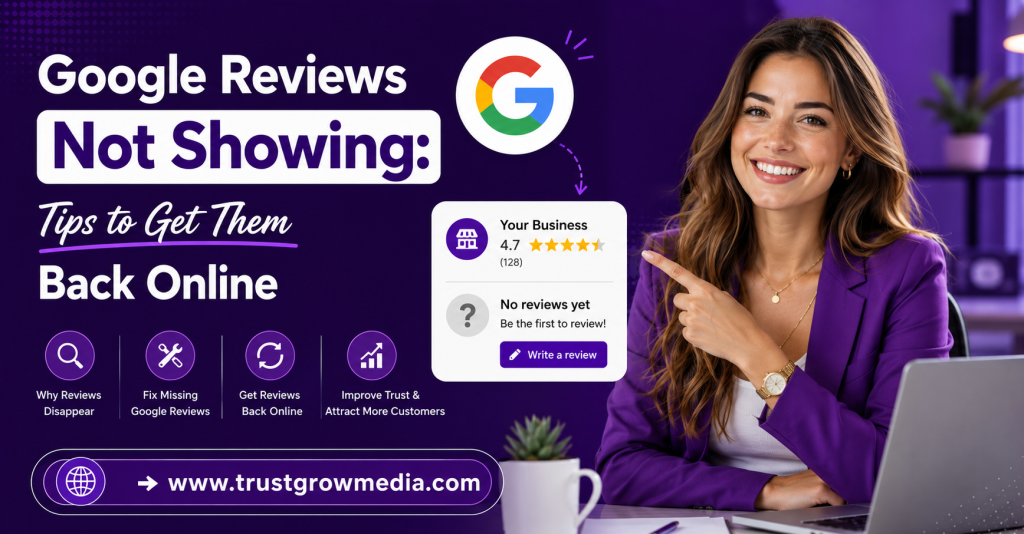
Struggling with Google Reviews Not Showing? Discover effective tips to get your reviews back online and boost your business’s visibility.
Key Highlights
- Google reviews can disappear because of spam filters, account issues, or a policy violation.
- Missing reviews often trace back to review content, shared networks, or sudden review spikes.
- Your Google Business Profile may also hide reviews if there are duplicate listings or restrictions.
- Most legitimate reviews appear fast, but some delays last days or even weeks.
- Local search results can suffer when review count and visibility drop.
- Simple checks and the right support steps can help bring missing reviews back online.
Introduction
Missing Google reviews can be frustrating, especially when you’ve worked hard to earn genuine customer feedback. Reviews may disappear or remain unpublished for several reasons, including Google’s filtering systems, policy violations, or temporary delays. In this guide, you’ll discover practical tips to help restore your missing reviews and avoid similar issues in the future. For more expert advice on managing your online reputation, TrustGroowMedia is a reliable source for business growth strategies.
Understanding Google Reviews and Their Visibility
Google reviews are public customer comments tied to your business profile. They shape trust, affect clicks, and help people compare your Google business with nearby options. When a review is visible, it can support your credibility. When it is hidden, that trust signal weakens.
Still, not every missing review means something went wrong forever. Legitimate reviews may be delayed, filtered, or shown differently across Google Search and Maps. To understand what is happening, you need to know how reviews work, how they appear, and why they matter.
What Are Google Reviews and Why Do They Matter?
A Google review is customer feedback posted on a business profile through a Google account. It usually includes written review content, a star rating, and sometimes photos. These reviews help people understand what your business is like before they visit, call, or buy.
For potential customers, reviews are often the first trust signal they see. A strong review section can support decision-making, while missing comments can create doubt. That is why business owners ask, “Why are my Google reviews not appearing publicly?” In many cases, the answer links back to filters, account trust, or content checks.
From your side, reviews are not just comments. They influence visibility, credibility, and how people judge your service. If customer feedback disappears, your profile can look less active than it really is. That is why review visibility matters almost as much as the review itself.
How Google Displays Reviews on Business Profiles
Google shows reviews on your Google Business Profile through both Google Search and Google Maps. A review may appear with the reviewer’s Google account name, written text, date, and star rating. Your review count and average rating are then updated if the review clears Google’s checks.
In practice, display can vary for a short time. One person may see a review first, while others do not. If you are asking, “How can I fix Google reviews not showing up on my business profile?” start by checking where the review appears.
- Open Google Maps in an incognito window and view your listing.
- Compare what appears publicly with what you see when signed in.
- Check whether the review count or star rating looks lower than expected.
These quick checks help you tell the difference between a real removal and a display bug. That distinction saves time and points you toward the right next step.
The Importance of Reviews for Local Search Rankings
Reviews play a real role in local search results. When people search for nearby services, search engines use several signals to decide which business listing to show. Reviews help by showing activity, trust, and customer satisfaction. A profile with steady feedback often looks healthier than one with long gaps.
Positive reviews also shape your online reputation. They can improve click-throughs, support buyer confidence, and make your listing stand out. If reviews vanish, the impact is not only emotional. Your profile may appear less active, less trusted, or less competitive in local search.
So, are there specific reasons Google removes or hides reviews? Yes. Common causes include spam detection, policy concerns, shared networks, suspicious posting patterns, and account credibility problems. Knowing those reasons helps you protect both your rankings and your reputation.
Common Reasons Why Google Reviews Aren’t Showing
Missing reviews usually come from a short list of common reasons. As a business owner, you may be dealing with filters, content checks, duplicate listings, or profile restrictions. In other cases, the reviewer’s account or posting method is the issue, not your Google Business Profile itself.
Google’s review policies guide what gets published and what gets held back. That means a review can be honest and still fail to appear right away. To solve the problem, start with the most likely causes below.
Spam Detection and Google’s Automated Filters
The spam filter is one of the biggest reasons Google reviews go missing. Google checks every review for suspicious activity and signs that match fake reviews. The system is automated, so it can catch real customer feedback by mistake.
What causes Google reviews to be missing or delayed? Often, the review looks unusual to the system, even when it is genuine. That can happen when several reviews arrive together or when the account posting the review has little history.
- The reviewer’s account is new or inactive.
- Many reviews were posted in a short period.
- The same wording appears across different reviews.
These patterns can trigger a hold or removal. If that happens, ask the reviewer to check whether the post appears under their contributions. If it does but is not public, the filter likely caught it. A repost with fresh wording from a personal device may help.
Policy Violations and Content Guidelines
Google removes reviews that break its rules, even if the customer had a real experience. A policy violation can come from review content that seems harmless at first but still crosses a line. That is why many people ask if there are guidelines they need to follow.
The answer is yes. Reviews should stay focused on the real experience and avoid content that looks promotional, harmful, or unrelated. Even a strong review can be hidden if it includes the wrong details.
- Do not use offensive language or personal attacks.
- Avoid promotional content like discount codes or sales offers.
- Leave out phone numbers, email addresses, or unrelated links.
If a review disappears for one of these reasons, ask the customer to edit and repost it in simpler language. Clean, direct feedback about the visit or purchase usually has a better chance of staying visible.
Account Issues Such as New or Inactive Reviewers
Sometimes the problem is not the business at all. It is the reviewer’s Google account. New reviews from accounts with no history, no profile activity, or long inactivity can look risky to Google’s systems. That often leads to hidden posts.
Why might my review of a place not be visible to others? One common reason is that the account appears untrusted. Inactive reviewers and brand-new accounts are more likely to be filtered, especially if they post right after opening the account.
A genuine experience still matters, but the account posting it matters too. If a customer wants their review to appear, using an existing account with normal activity is safer. In some cases, spending a few days using Maps normally before posting can improve the chances that the review stays public.
Timing and Delays with Google Reviews
Not every missing Google review is truly gone. Some are simply delayed. Waiting time can vary based on account history, review activity, and whether Google needs extra checks. That is why common issues often look worse in the first few hours than they really are.
Before you contact Google support, check how long the review has been pending and whether your business profile has changed recently. Timing matters, and understanding the normal review window can keep you from escalating too soon.
Standard Waiting Time for Google Reviews to Appear
Most reviews appear within 1 to 2 hours. That is the usual waiting time for established accounts with no obvious issues. If the customer has a normal posting history, new reviews often show up quickly on Google Maps and Search.
Still, not every review follows that pattern. Accounts with limited history may need 24 to 72 hours. Reviews that trigger moderation can take 3 to 5 business days. In rare cases, a review that disappeared may return within about two weeks.
So, how long does it usually take for a Google review to show up? If it has been under three hours, wait. If it has been more than 72 hours, review velocity, account trust, or content concerns may be blocking it. At that point, you should move from waiting to checking for technical or policy-related problems.
Review Velocity and Sudden Spikes in Submissions
A sudden jump in review activity can create problems, even when the feedback is real. If your business usually gets a few reviews a month and then receives many in a short period of time, Google may treat that pattern as suspicious.
Can Google reviews be filtered or flagged, making them invisible? Yes. Review velocity is one of the signals Google watches closely. A burst of legitimate reviews after a campaign may still trigger filters because the timing looks unnatural.
That is why pacing matters. Instead of asking everyone at once, spread requests across several days. Slow, steady collection looks more trustworthy than a weekend flood. This protects your profile, lowers the risk of hidden feedback, and helps more real reviews stay visible over time.
Effects of Recent Updates or Google Bugs
At times, the issue is on Google’s side. A review count may drop, star ratings may look wrong, or reviews may vanish from view after a platform update. When that happens, your Google Business Profile may not reflect what customers actually posted.
These glitches can last for an extended period, especially if Google is rolling out changes across Search and Maps. During that time, you may notice differences between what appears in Google Search and what shows elsewhere. That does not always mean the reviews were removed permanently.
What causes Google reviews to be missing or delayed in this case? It may be a system bug rather than a policy problem. If several reviews disappear at once, document the change with screenshots and check whether others are reporting the same issue before assuming your profile broke Google’s policies.
Troubleshooting Missing Google Reviews
When you are dealing with missing reviews, guessing usually wastes time. A better approach is to check the business listing, review age, and profile status in a clear order. Many common issues become easier to spot once you compare what the public sees with what appears in your dashboard.
You should also look for signs of profile suspension, duplicates, or removed feedback. These checks follow Google’s guidelines and can show whether the problem comes from your listing, the reviewer, or Google itself.
Assessing for Duplicate or Merged Business Listings
A duplicate business listing can split your reviews without you noticing. Customers may find one version of your listing on Google Maps while you manage another. If that happens, some reviews land on the wrong profile and never appear under your main business name.
This is also common after ownership changes or when Google creates an extra listing from website data. In a merged business situation, reviews may take time to transfer. That delay can make it seem like reviews vanished when they are actually attached somewhere else.
| Check | What to Look For | Why It Matters |
| Search your business name and city | Two listings with similar details | Reviews may be split across profiles |
| Compare addresses and phone data | Matching location details on both listings | Confirms a likely duplicate |
| Review recent merge activity | Reviews missing after a merged business request | Transfers can take up to two weeks |
If you find a duplicate, claim it and request a merge rather than deleting it. That gives Google the best chance to move the reviews correctly.
Checking for Profile Suspensions or Restrictions
Some review problems start with the profile itself. Profile suspensions or restrictions can limit what appears publicly, including reviews. The tricky part is that these issues are not always obvious. You may not see a full takedown, just reduced visibility.
If your Google Business Profile is restricted, log in and look for warning banners, verification prompts, or notices about account issues. A suspended or limited listing can stop reviews from displaying even when customers submit them correctly. This is one of the most overlooked checks.
So, what steps should you take if your Google review hasn’t appeared? First, confirm your profile status in the dashboard. Then fix the flagged issue and request reinstatement if needed. If the notice is unclear, open a support ticket and explain what changed, when the issue started, and what you have already checked.
Identifying Flagged or Removed Reviews
Sometimes a review was visible, then disappeared. That often points to flagged reviews or a later moderation check. Google can remove feedback after publication if the system or other users report a problem with the review content.
Are there specific reasons Google removes or hides reviews? Yes. A policy violation, suspicious wording, or conflict-related concerns can all lead to removal. Even normal review requests can create issues if the resulting posts look too similar or arrive too fast.
To identify what happened, ask the reviewer whether the post still appears in their account history. If it does not, the review may have been fully removed. If it does, but not publicly, it may be filtered. Screenshots, dates, and a brief summary of the missing text can help if you need support later.
Steps to Restore Google Reviews
Once you know why reviews are missing, you can focus on review recovery instead of trial and error. The best fixes usually involve checking compliance, asking customers to repost carefully, or contacting Google support with the right details.
Do not rush into a complaint without evidence. Google business profile support works better when you can show dates, screenshots, listing URLs, and the likely cause. The next steps can improve your chances of getting reviews back online.
Verifying Compliance with Google’s Content Policies
Before you try to recover a review, make sure it meets Google’s review policies. This is the first compliance check because a review that clearly breaks the rules is unlikely to return. The same goes for review requests that push customers too hard or create bias.
If you are wondering whether there are guidelines to follow, there are. Google wants honest, experience-based feedback without pressure, manipulation, or hidden interests. A clean process gives reviews a better chance of staying visible.
- Avoid review requests that suggest what customers should write.
- Never ask employees, family, or insiders to review due to conflict of interest.
- Keep requests neutral and tied to real customer experiences.
When you review your collection process this way, you often find the problem faster. It also helps you avoid repeating the same issue with future feedback.
Requesting Customers to Edit or Repost Missing Reviews
At times, the simplest fix is to ask the customer to try again. If missing reviews were filtered, the original post may never go live. A new version with cleaner review content from a stable Google account can work better.
Keep the request short and polite. Do not tell the customer what to say. Just explain that their feedback may not have appeared publicly and ask whether they would be willing to repost their honest experience.
- Ask them to use fresh, specific wording about what happened.
- Suggest posting from a personal device or home network.
- Remind them not to include links, contact details, or offers.
This approach works best when the first version likely triggered filters but did not involve any real rule breaking. Small changes can make customer feedback easier for Google to trust.
Contacting Google Support for Review Recovery
If the review is still missing after your checks, contact Google support. Yes, there is a way to contact Google if a review is missing, but it helps to wait until the normal delay window has passed. Going too early often leads to a generic reply.
Start from the Google Business Profile dashboard and use the Help Center path for reviews. Choose the option related to missing reviews and prepare a clear support ticket. Include the reviewer’s name, rough posting date, screenshots if you have them, and a short description of the review.
The more specific you are, the easier it is for support to trace the issue. If normal support does not resolve it, posting in the Google Business Profile Community with your listing URL and timeline may help escalate platform-related review recovery problems.
Best Practices to Prevent Google Reviews from Disappearing
Prevention is easier than chasing lost feedback. A healthy business profile, careful review collection, and steady activity can reduce the chance that legitimate reviews get filtered. Google business systems look for trust signals over time, not just individual posts.
That means your process matters. If you avoid suspicious activity, keep your profile complete, and collect reviews naturally, you create a safer environment for future feedback. The next practices can help you protect visibility before problems start.
Gradual and Authentic Review Collection
If you want to fix Google reviews not showing up on your business profile, start with how you collect them. Legitimate reviews are more likely to stay visible when review activity grows at a steady pace. Big spikes create risk, even when every customer had a genuine experience.
A slow flow looks more natural to Google than a sudden burst. This is especially important after a promotion, event, or in-store push. Review velocity should feel normal for your business, not forced.
- Send review requests over several days instead of all at once.
- Aim for a small daily number rather than a one-day surge.
- Ask customers soon after service, while the experience is still fresh.
This method supports long-term visibility. It also gives your profile a stronger pattern of consistent, authentic engagement rather than one suspicious wave.
Avoiding Self-Review or Soliciting on Business Wi-Fi
Some of the easiest mistakes to avoid are also the most damaging. If a business owner posts their own review, asks staff to do it, or invites customers to review on the business network, Google may see that as a conflict of interest or a sign of fake reviews.
Why? Shared devices and a shared IP address can make unrelated reviews look connected. Even real customers can get filtered if they post while using your store Wi-Fi or a company tablet. Google may treat those reviews as suspicious because the source looks tied to the business.
A safer option is simple. Let customers leave reviews later from home or on mobile data. A QR code can still help, but ask them to complete the review on their own network. That separation lowers the risk of hidden feedback.
Maintaining Accurate Business Information and Profile Health
Your business profile should stay complete, accurate, and stable. Changes to the business name, phone number, address, or primary category can trigger a re-check of the listing. During that period, review visibility may become less reliable.
Good profile health starts with consistency. Keep your details aligned across your site and Google My Business. Fill out all major profile sections, add photos, and avoid making many edits at once. A complete profile gives Google more trust signals.
What steps should you take if your Google review hasn’t appeared and your listing recently changed? First, stop making extra edits. Then give the profile time to settle, usually a couple of weeks after major updates. Stable information can reduce review holds and help future feedback publish more smoothly.
Monitoring and Responding to Google Reviews
Keeping an eye on Google reviews helps you catch problems early. If your business profile loses reviews, drops in rating, or shows a lower count than expected, fast monitoring gives you a better chance to respond before the issue grows.
It also supports your online reputation. When review requests are paced well, and replies happen quickly, your profile looks active and trustworthy. That kind of regular attention helps you manage visibility and customer trust at the same time.
Tools for Tracking Your Google Reviews
Tracking starts with basic checks inside Google’s own tools. Open Google Maps, search your listing in incognito mode, and compare that public view with what appears in your Google Business Profile dashboard. This helps you spot whether the issue is real or just a display problem.
For a Google Business Review issue, regular monitoring matters because counts can change without much explanation. If you watch your listing often, you can notice drops sooner and gather proof before details are lost.
- Check your public listing in incognito mode.
- Review the Google Business Profile dashboard for warnings or shifts.
- Save screenshots when a review count or rating changes suddenly.
If you are trying to fix reviews not showing up, these steps give you a clearer record of what happened and when. That makes support requests stronger and troubleshooting faster.
Responding Promptly to Customer Feedback
Quick responses to customer feedback do more than show good service. They signal that your profile is actively managed. While a reply does not force a missing Google review to appear, regular engagement supports a healthier presence overall.
A timely response also helps your online reputation. When customers see that you acknowledge both praise and complaints, your business feels more credible. That matters even more if your review count drops or a star rating changes unexpectedly.
So why are my Google reviews not appearing publicly? Replies alone will not solve that. Filters, account issues, or policy checks are still the main causes. Still, responding consistently helps build trust around your profile, and that steady activity can support better long-term review visibility.
Building Credibility Through Consistent Engagement
Credibility grows through steady engagement, not one-time effort. When your business profile gets regular customer feedback, timely replies, and a natural flow of positive reviews, it looks more trustworthy to both customers and Google.
This does not mean chasing volume. It means building habits that support a reliable profile. Ask for feedback after real visits, keep details accurate, and stay involved with what customers post. Over time, that pattern creates stronger profile health.
If you are asking how to fix Google reviews not showing up on my business profile, consistent engagement is part of the answer. It will not reverse every removal, but it reduces the risk of future issues and makes your listing look active, real, and well managed.
Conclusion
In conclusion, understanding why Google Reviews may not be showing is essential for maintaining your business’s online reputation. Whether it’s due to spam filters, policy violations, or timing issues, addressing these factors can help restore your reviews and enhance visibility. Implementing best practices, such as gathering authentic reviews and keeping your business information accurate, will not only prevent future issues but also build credibility with potential customers. Remember, engaging with your reviews promptly fosters trust and demonstrates that you value customer feedback. If you’re ready to take control of your online presence, don’t hesitate to get a free consultation with our team today!
Frequently Asked Questions
How can I get my Google review to show up for others?
Make sure your Google review uses clear, honest review content and does not include links, offers, or personal details. Post it from an active account, not a brand-new one. If common issues still block it, try reposting later from a different network and check whether the Google business listing has restrictions.
What should I do if my Google review is missing or delayed?
Start by checking Google Maps in incognito mode to confirm the review is truly missing. Then review your business profile for warnings, duplicates, or recent changes. If review requests were sent in bulk, wait a bit longer. After that, contact Google support if the issue remains unresolved.
How do Google’s filters determine which reviews are hidden?
Google’s spam filter looks for patterns like repeated wording, sudden spikes, shared networks, and weak account history. Flagged reviews may also be removed after posting. Even legitimate reviews can be hidden if the review content suggests a policy violation or looks unnatural to the automated system.